Building a systematic i18n library, and turning it into a Skill that every role could use
Global expansion outpaced the quality of our internationalization
ByteDance was scaling globally, and internal tools had to keep up. The design team's mandate was to raise i18n quality across every product line.
Every product line was making its own i18n calls
Most English interfaces were direct translations from Chinese. Currency formats, time formats, and terminology choices were inconsistent across product lines, producing an experience that visibly lagged international standards.
I owned this project across two layers
As project owner, I coordinated designers across teams to build a spec library covering currency, time, writing, and terminology. The Currency spec is the piece I wrote myself. The second layer, making the full library executable across teams, is the one I drove end to end.
The project ran on a repeatable mechanism, not a one-time delivery
I collected interface quality issues broadly from every product line
Many teams, many product lines, many problems. The first step wasn't deciding what to fix, it was surfacing everything. I systematically collected interface quality issues from every product line before picking anything to work on.
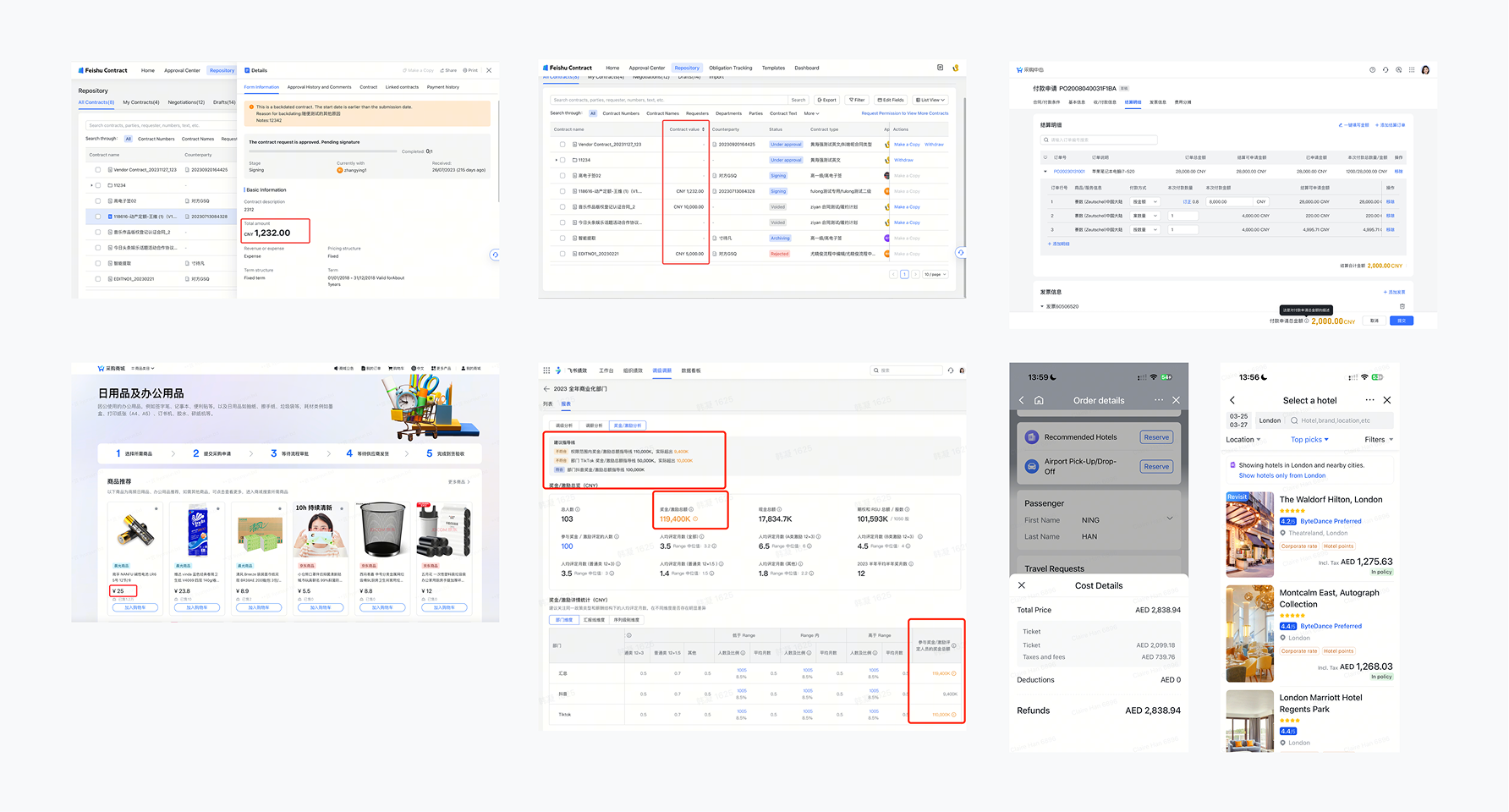
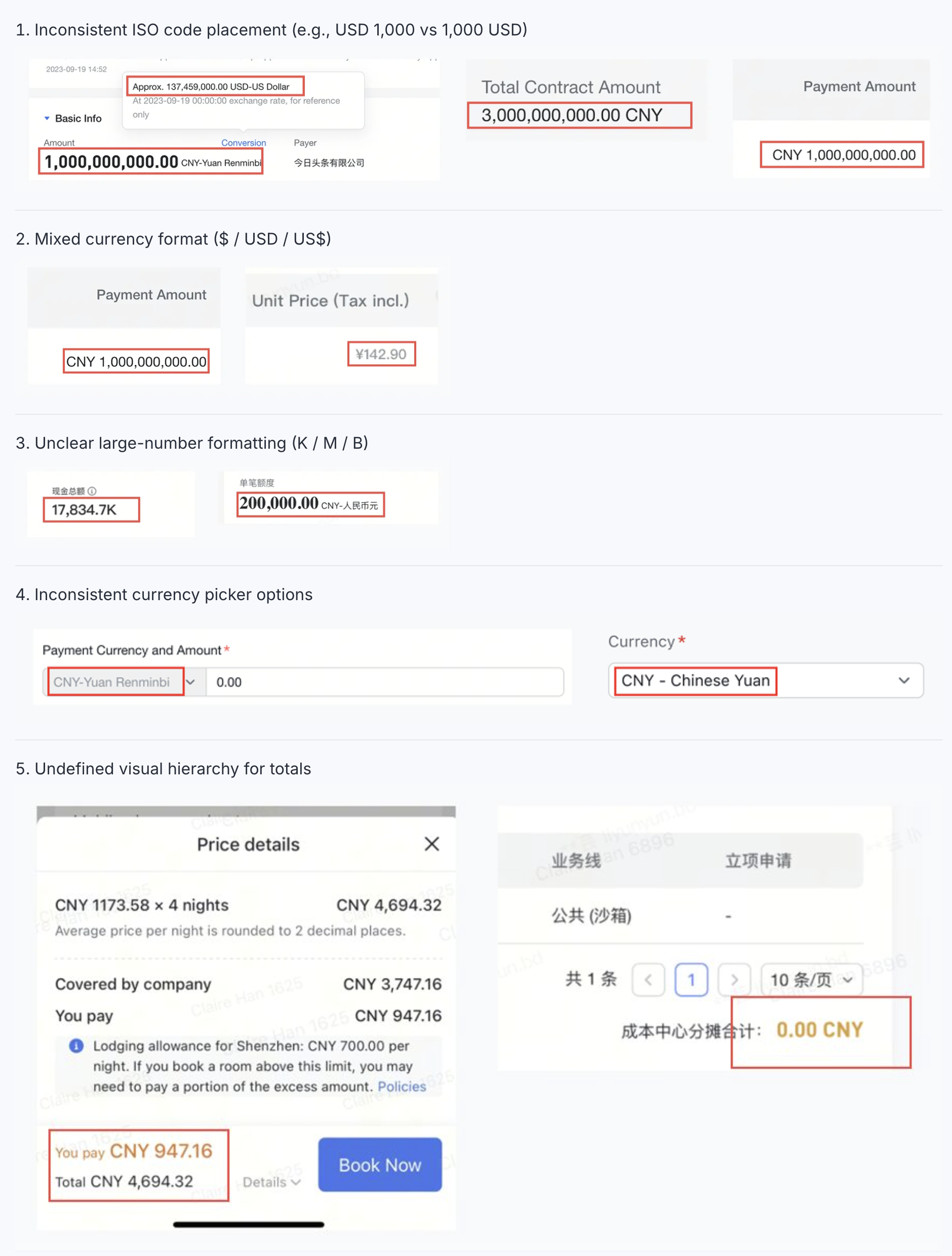
Prioritized by frequency and impact
With the raw issue list in hand, I ranked each by how often it occurred and how widely it affected users.
Specs had to be treated as an iterative cycle, not one time deliverables
New scenarios keep surfacing, so a spec published once and never updated goes stale fast. I ran the spec work as a loop: collect, define, socialize, embed into tools, and collect again.
As owner of the Currency track, I carried the design from research to shipped components
Step 1: Collect every currency scenario across product lines
Our portfolio spans B2B (procurement, finance, HR) and B2C (travel, canteen), so one pattern couldn't cover everything. I categorized scenarios first, so the spec was grounded in real cases.
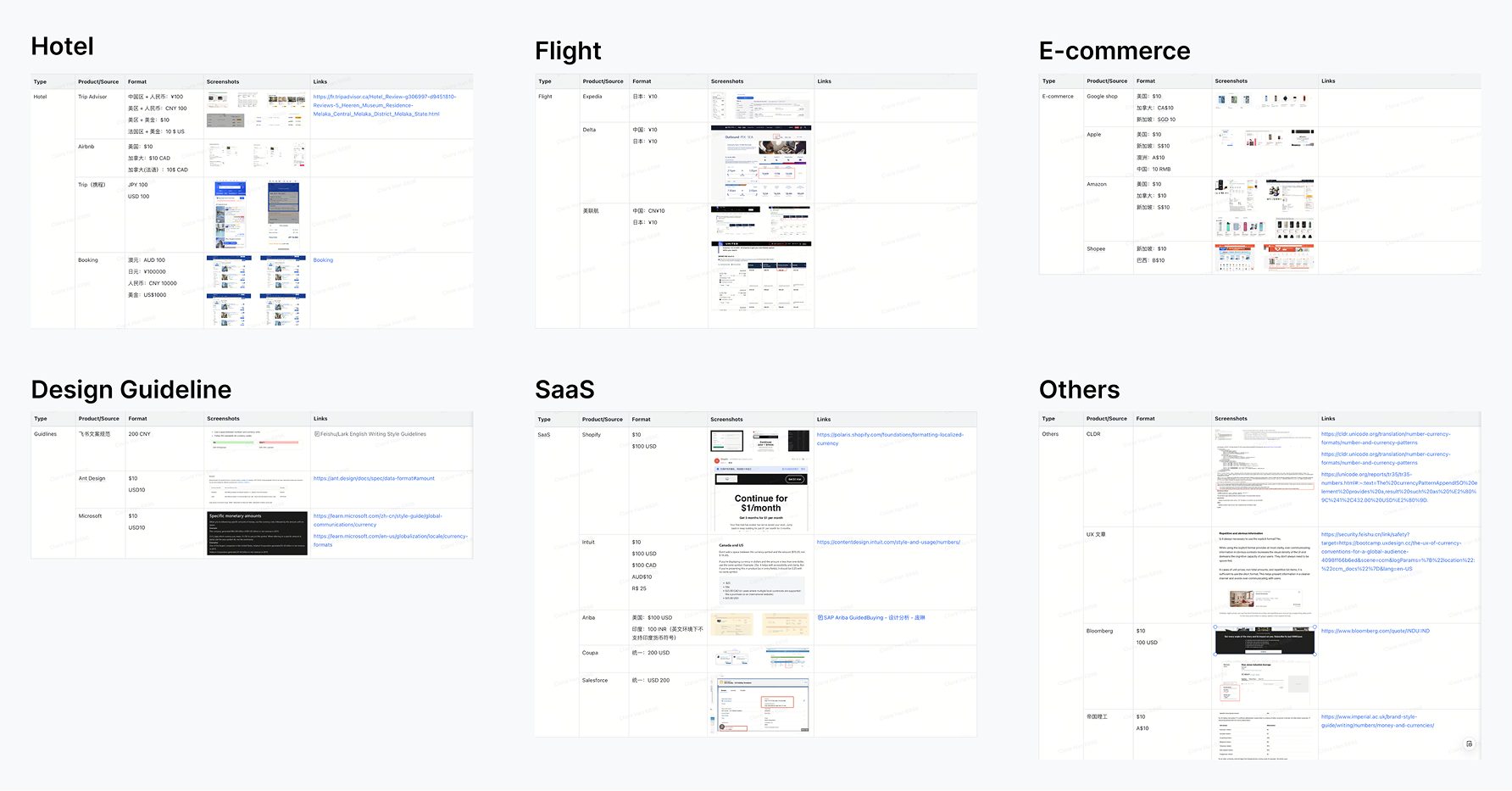
Step 2: Benchmark against 50+ products and the CLDR international standard
We couldn't judge “correct” from internal instinct alone. I surveyed over 50 products across B2B and B2C and referenced the CLDR international standard to find common patterns.
Step 3: Validate the draft against real designers' daily needs
I took the draft spec back to designers across teams to confirm it covered their day to day needs, surfacing corner cases before publishing.
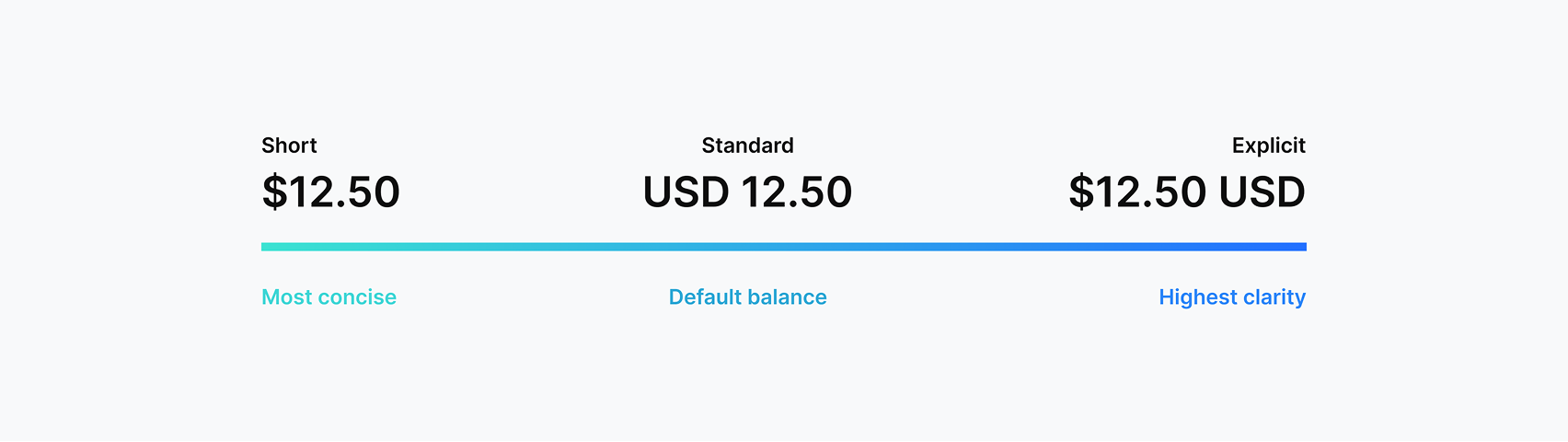
What made the specs actually get used across the org
A good spec tells you which option to pick, not just what the options are
Spec rules. The foundational layer defines what's correct and what isn't for currency formatting.
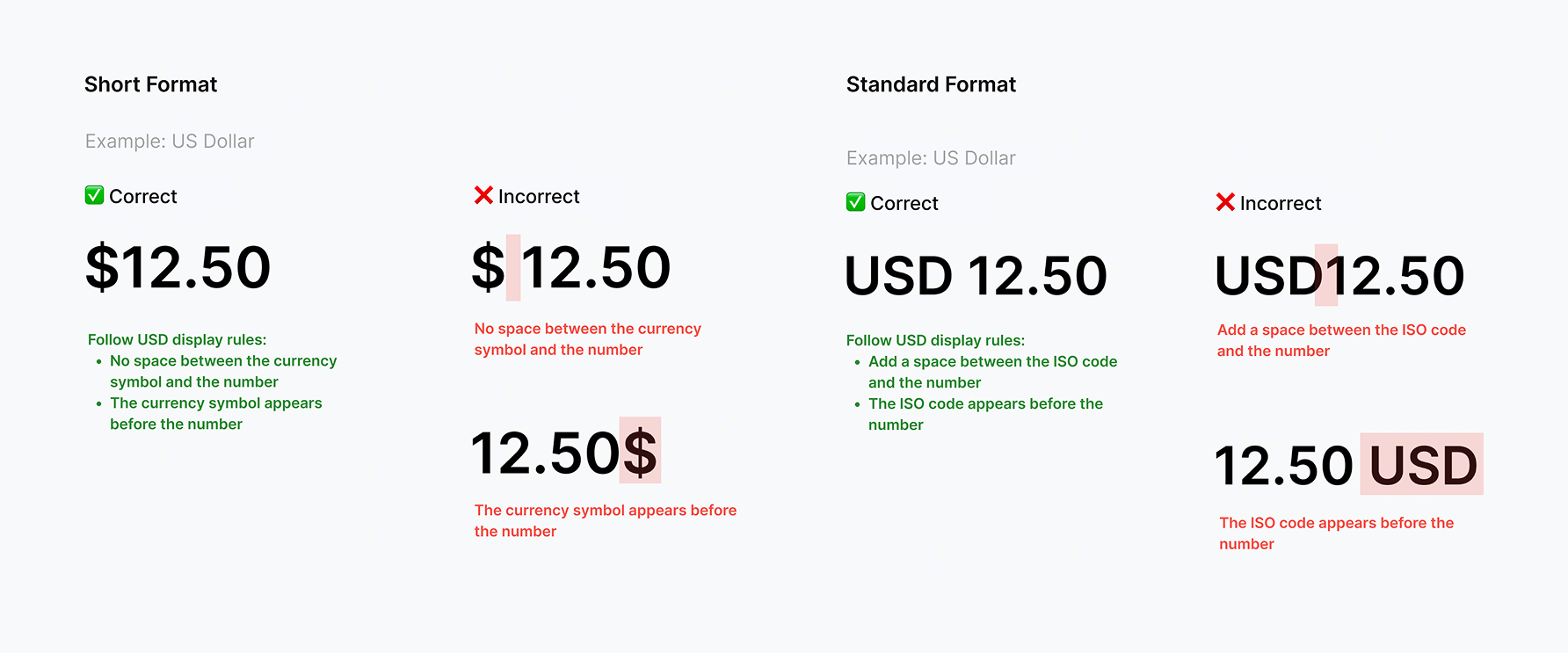
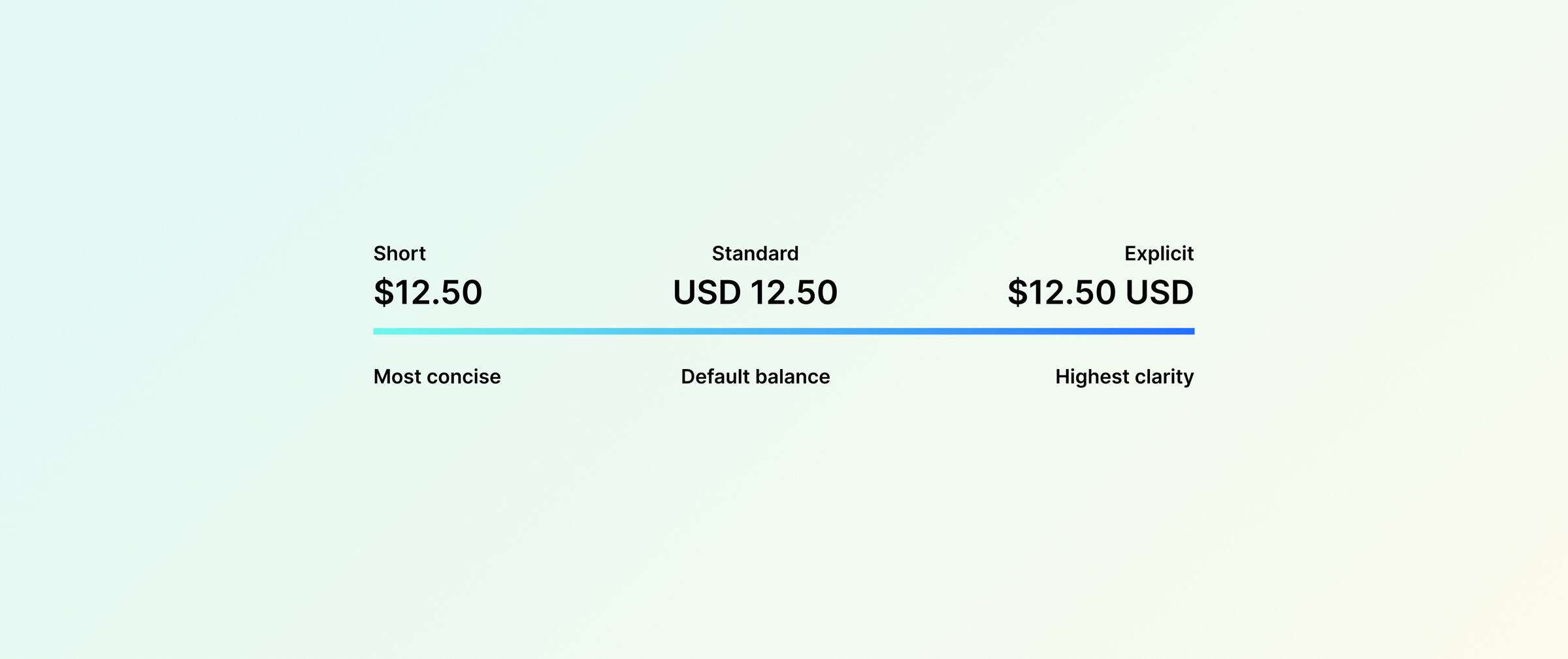
Usage toolkit. On top of the rules, a toolkit helps teams pick the right format (Short, Standard, or Explicit) for each scenario.

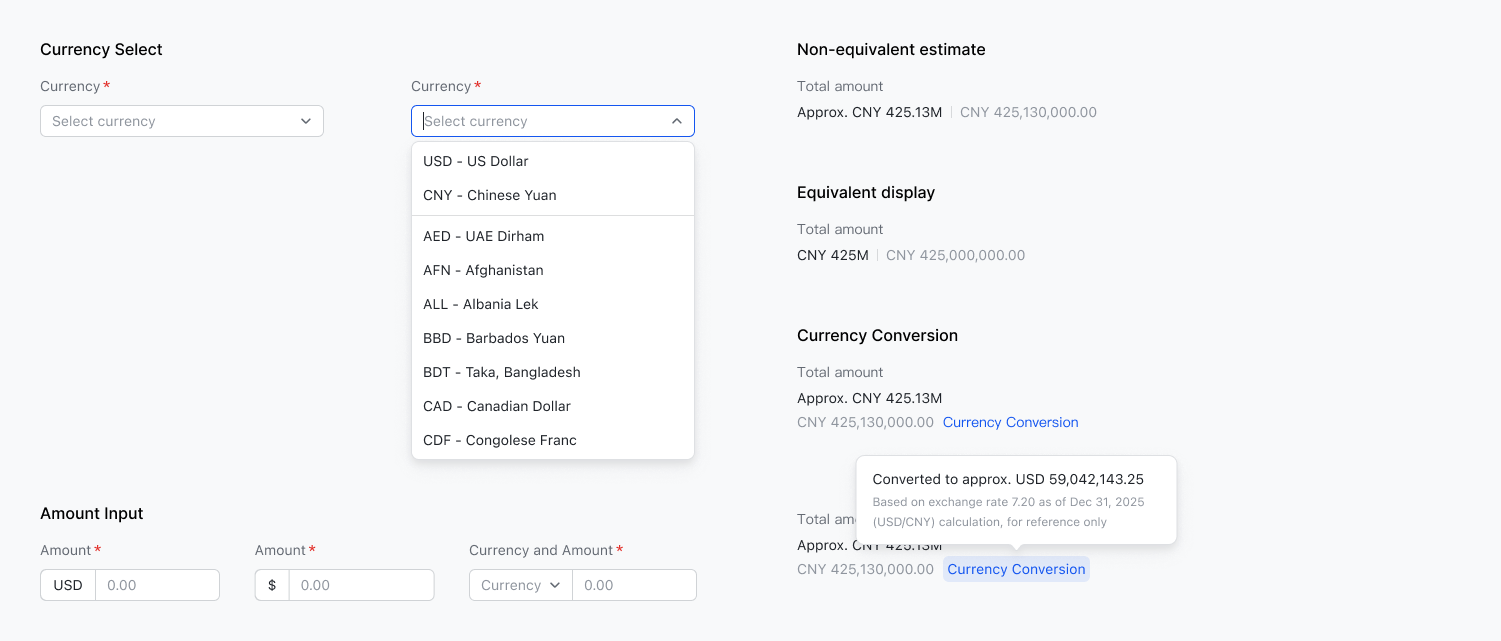
Core components. Ready-to-use UI components including amount input, currency selector, and large amount abbreviation, built directly on the spec.
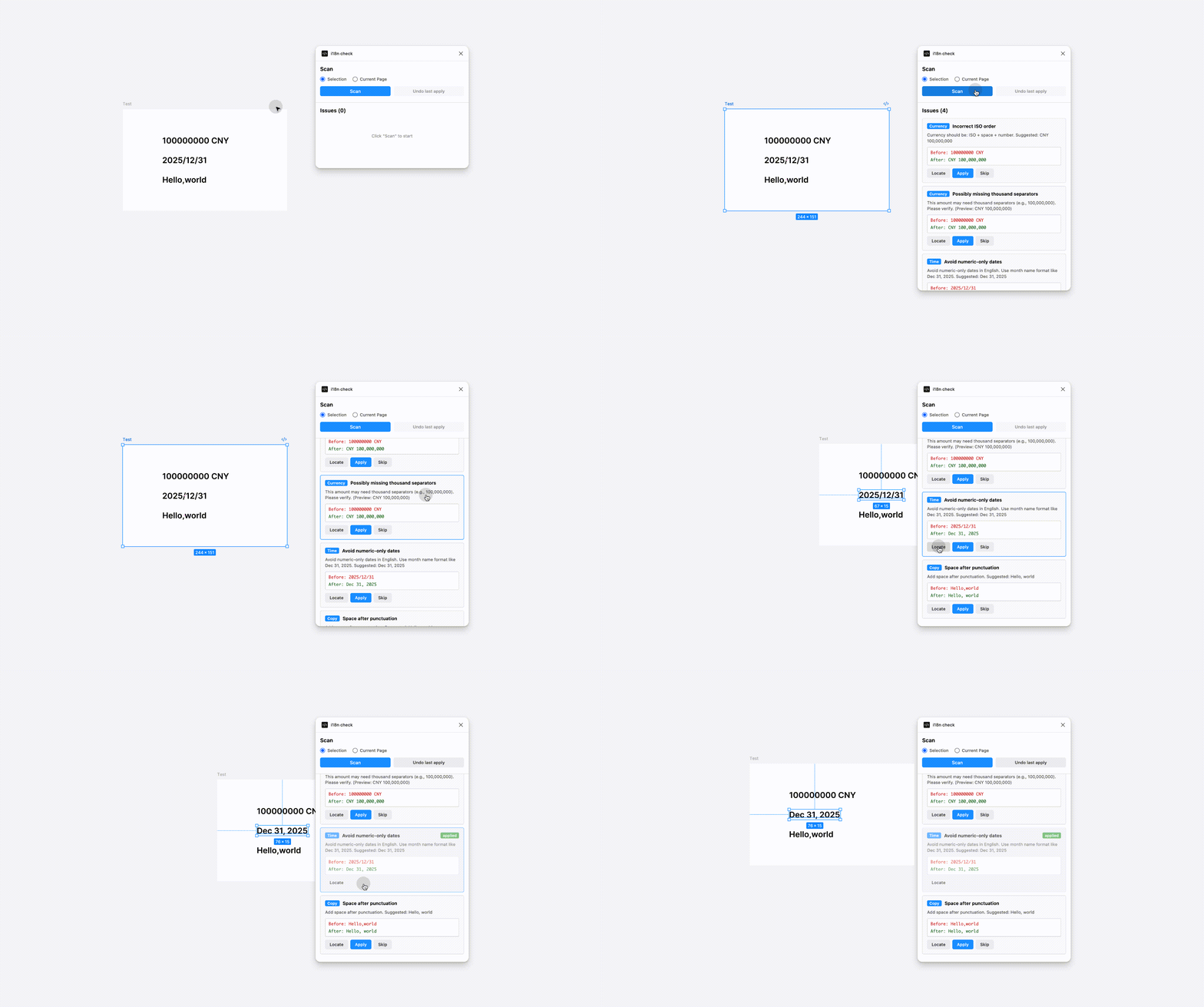
A Figma plugin showed me that the spec needed to leave the design tool
My first attempt was a Figma plugin that auto checked design files. It only caught issues at the design stage, but quality problems happen across PRD, engineering, and QA too. Maintenance was also expensive, since every spec update meant republishing.
Packaging every spec into an AI Skill made them usable across design, engineering, and QA
I packaged all the specs, including currency, time, writing, and the ~1,900 terminology entries, into a single Skill plugged into Claude Code, Cursor, and our internal AI platform.
Usage was direct. Designers send a screenshot and get back a diff of violations. Engineers check their implementation against the same Skill. QA runs the check without waiting on a designer. Maintenance cost dropped to editing a single Markdown file.
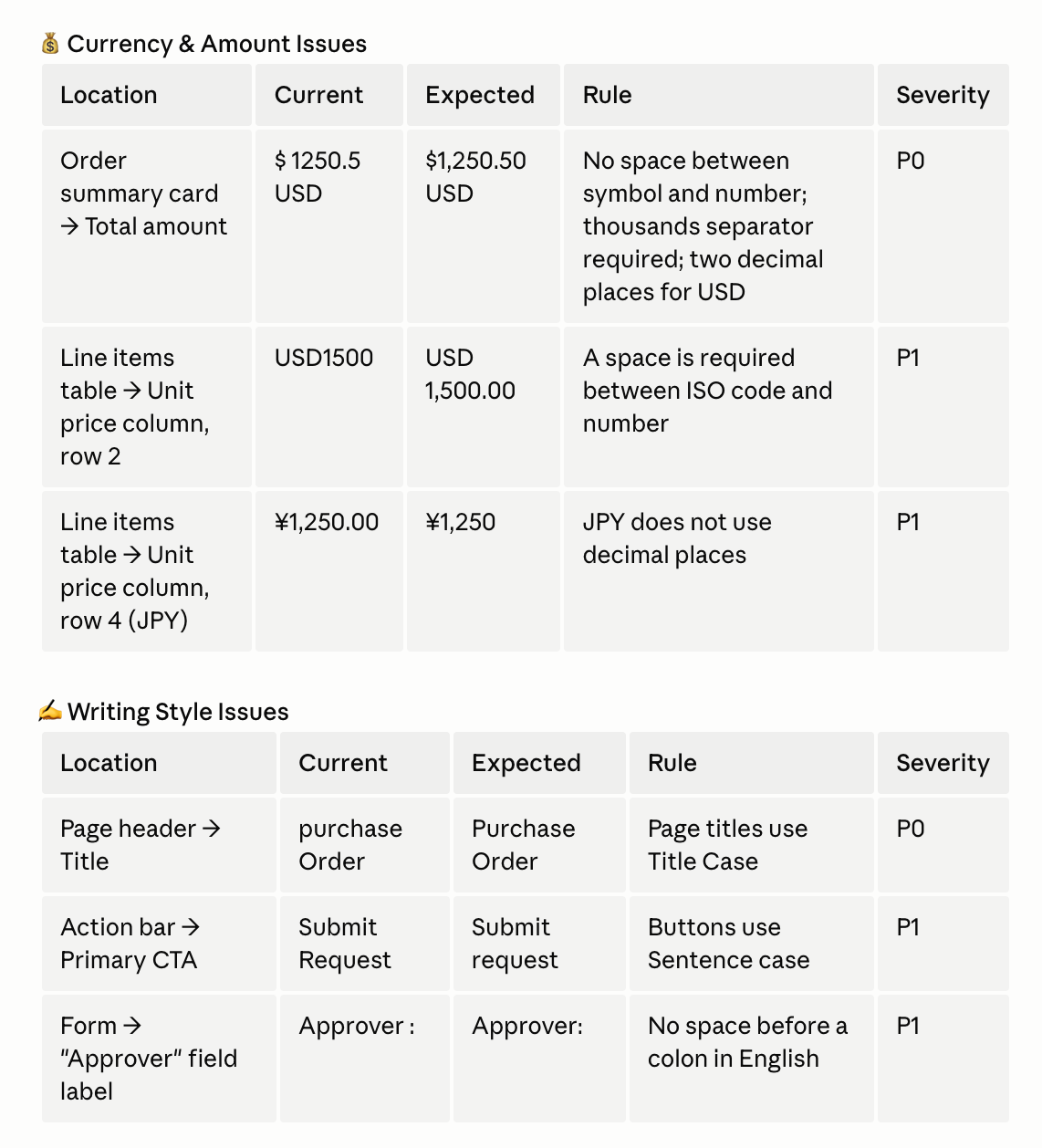
Adopted across 10+ design teams and 20+ product lines, with the Currency spec picked up beyond our org
The work shipped in two layers: the spec library itself, and the Skill that made it callable anywhere.
Two takeaways I keep coming back to
A good spec has to solve content and execution, or quality plateaus
Content that's too strict gets ignored; content that's too loose means nothing. Execution that relies on human memory breaks at scale. Both sides have to be solved together for quality to actually move.
A designer's leverage grows when the work lands outside the design tool
Shipping the Skill meant my work ended up in engineering and QA tools, not just Figma. That was the first time I felt the scope of “design” widen beyond visual decisions. Once the specs were a platform capability, every role in the product flow was using them.